


Photo Recovery
4.1130.00 Reviews
App Specs
- Version
- 5.3.1
- Updated On
- License
- Free
- Downloads
- 500,000+
- Developer
- Ahmeed yoonis
- Categories
- Productivity
- Platform
- Android
Screenshots
 Analysis by AppCompare
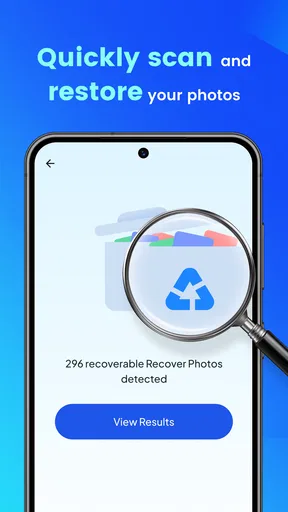
When a photo disappears from a shared phone, the problem is usually not abstract. Someone may have deleted a picture while clearing storage, moved files between folders, or handed the device to another person without realizing that an important image was still there. Photo Recovery is a free productivity app from Ahmeed yoonis that focuses on that very practical moment: trying to restore deleted files, especially photos, without turning the task into a complicated desktop project.
I tested it with the mindset of a household user rather than a professional data-recovery technician. That distinction matters. This is the kind of application I would consider after a child accidentally removes a family picture, a partner cleans up a gallery too quickly, or several people use the same Android device and nobody is quite sure when a file vanished. It is not a replacement for a complete backup routine, but it can be a useful first attempt when the loss is recent and the phone is still available.
The app is listed for Everyone, costs nothing to download, and runs on Android seven point zero or later. Its current version is 5.1.0, while its simple store description presents it as a photo-recovery tool. That positioning is honest enough for everyday use: I approached it as a focused utility, not as a full archive manager or a guaranteed laboratory-grade recovery service.
How Photo Recovery fits into a shared household phone
When several people rely on one phone, a missing picture can become a coordination problem as much as a recovery task. I’d agree first on who owns the device and who will handle the search, then keep the recovered copy in the right person’s space rather than treating every result as a shared family file. That simple boundary makes the next step—setting a repeatable household routine—much easier.
A realistic family recovery moment
Imagine a tablet or phone used by several people at home. One person takes pictures during a school event, another removes duplicates to free space, and later somebody notices that the best image is gone. In that situation, the first useful step is not blaming the person who cleaned the gallery. It is stopping unnecessary activity on the device and opening the recovery tool while the deleted file still has a chance of being found.
That is where Photo Recovery makes sense. Its purpose is narrow enough to understand immediately: look for deleted photos or other recoverable files and give the user a chance to restore them. I like that this workflow matches the urgency of a household mishap. You do not need to begin by learning a large backup platform, creating a shared account, or sorting through years of cloud folders.
There is an important trade-off, though. Recovery is never the same as backup. When a file is deleted, later phone activity can overwrite the space where its information was stored. Taking more pictures, downloading videos, installing apps, or repeatedly clearing storage may reduce the chance of finding anything useful. My practical advice is to stop using the affected device as much as possible before scanning. This is more valuable than repeatedly running searches and hoping the result improves.
Worth Reading Before You Choose

EA SPORTS FC Mobile 26 Is a Bigger Football Game, but It Takes Time

Flipboard Shows What News Apps Must Do Beyond the Feed

Switching to Android Auto Means Rethinking Your Driving Routine

Google Calendar Makes a Crowded Week Easier to Manage

Ludo King Makes the Most of the Minutes Between Plans

Baby Panda World Brings Quick Play to Modern Phones, but Its Game Library Feels Busy
I would also avoid letting every family member try random actions. One person should handle the recovery attempt, record which folder or gallery the image originally came from, and save any recovered copy somewhere safe. That small bit of coordination prevents a second mistake, such as restoring a file and then losing track of where it was placed.
What the app is good at, and where expectations need control
The strongest use case is a recently deleted personal photo on an Android phone or tablet. The app may be worth trying when the image was removed from the gallery but the device has not been heavily used since then. It is also convenient when the person who needs the file is not comfortable with command-line tools, desktop recovery software, or complicated cloud dashboards.
However, I would not treat a scan result as proof that every recovered item is complete. A preview can look promising while the restored file has missing areas, an unusual name, or an unfamiliar location. Before deleting anything else, I would open the recovered image, zoom into important details, and check whether it is the correct version. For a family photo, a damaged corner may be acceptable; for an image needed for work or official paperwork, it may not be.
Another limitation is that the app cannot change the basic condition of the storage medium. If a file has been overwritten, recovery software cannot reliably recreate the original pixels. It also cannot replace a proper copy stored elsewhere. I see this application as a rescue attempt with a convenient interface, not as insurance against every form of data loss.
Preparing the device before anyone taps Scan
Shared-device recovery benefits from a simple boundary: identify the device and the person responsible for the attempt before starting. If several phones are present, confirm which one contained the deleted photo. If the image was originally on a removable card, internal storage, a messaging app, or a cloud service, note that too. The recovery path may differ, and assuming the wrong location wastes time.
I would make a short timeline. When was the picture last seen? Who used the phone afterward? Was the gallery cleaned, the device restarted, or a large video recorded? These details do not guarantee success, but they help set realistic expectations. A photo deleted moments ago after light use is a different case from one removed days earlier on a busy shared phone.
Before granting access or beginning a scan, I would read the prompts on the device rather than approving them automatically. Recovery tools need to inspect storage in order to search for files, and a household should be comfortable with who is operating the phone. If the device contains private pictures belonging to several people, the person performing the scan should be trusted to handle what appears in the results.
This is also a good moment to protect the remaining files. If the phone is nearly full, do not start downloading unrelated media while waiting for the scan. If the application offers a destination choice during restoration, I would choose a clearly named folder and then copy the verified image to a separate backup location. Keeping the recovered file in the same crowded area that caused the original problem is poor housekeeping.
Keeping accounts and personal spaces separate
Photo Recovery is most useful when the household understands that a shared device is not automatically a shared photo library. A parent may be trying to restore a child’s school picture, while another adult has private work images on the same phone. The recovery process can expose thumbnails or filenames that were not intended for everyone to browse.
I would therefore agree on a basic rule before scanning: the owner of the phone, or the person responsible for its contents, decides who may view the results. If a child asks for help, an adult can operate the app without turning the entire gallery into a group activity. If two adults share the device, they should identify the relevant folder or approximate date first and avoid opening unrelated recovered items.
The same principle applies to restored files. A photo recovered for one person should not automatically be moved into a public family folder. Save it to the correct personal location, then make a separate household copy only if everyone agrees. This is a small distinction, but it prevents a recovery tool from becoming an accidental privacy problem.
I also would not use a shared account or another person’s device credentials simply to make coordination easier. The app’s job is to search and restore files; it should not be treated as a reason to blur ownership. If the phone belongs to someone else, ask that person to supervise the process or perform it themselves.
Working with children and older relatives
The Everyone age rating makes the app approachable for a broad audience, but an age label does not remove the need for guidance. A child can understand that a lost picture may be recoverable, yet may not understand why repeatedly taking new photos could make recovery less likely. I would explain the process in plain language: stop using the phone, tell an adult, and do not install several other recovery tools at once.
For an older relative, the main challenge may be confidence rather than technology. A short, calm workflow works better than handing over a list of technical instructions. I would first ask what disappeared, when it was last visible, and whether the phone has been used heavily since then. Then I would let the owner decide which recovered image is correct instead of assuming that the newest-looking thumbnail is the right one.
Children and relatives may also expect the app to restore an entire conversation, album, or phone history. I would set the boundary clearly: this is aimed at deleted files, with a strong emphasis on photos, not a general solution for every missing item in every application. If the picture was only ever stored inside a messaging service or online account, checking that original service may be more appropriate than relying on local recovery.
Trust matters here. I would never use a recovery scan as a way to inspect another family member’s deleted pictures. The fact that a tool can search storage does not make every result fair game. A household can coordinate the technical steps while still respecting the person whose images are on the device.
How it compares with the usual alternatives
The first alternative is the phone’s own trash or recently deleted area. I would check that before using Photo Recovery because it is usually the clearest place to restore an image, with familiar filenames and context. If the photo is there, the built-in option is generally easier to trust and less disruptive. The recovery app becomes more interesting when the normal gallery route no longer shows the file.
The second alternative is a cloud photo backup. Cloud services are better for prevention because they keep another copy away from the phone’s local storage. They also make household coordination easier when each person has an appropriate account and understands which library is being used. On the other hand, cloud history can be confusing when several accounts, devices, or synchronization settings are involved. Photo Recovery is more direct for a local deletion, but it cannot offer the same protection as a copy that already exists elsewhere.
Desktop recovery programs are the more serious alternative. They may provide deeper controls and broader file handling, especially when a memory card is involved. Their disadvantages are obvious for a quick family emergency: another computer is needed, the process may be technical, and the person operating it must be comfortable handling private storage. I would choose a desktop solution when the file is extremely important, the mobile attempt fails, or the storage needs a more careful forensic approach.
Other mobile recovery utilities can also be tempting, but installing several of them on the same affected phone is not a strategy I recommend. Each installation and download adds activity to storage, and multiple scanning interfaces can make it harder to know which result is genuine. I would try one sensible workflow first, then move to a different method only after considering the risk of further use.
Practical habits that make the tool more useful
My first non-obvious tip is to separate recovery from verification. Finding a thumbnail is only stage one. Open the restored file, inspect the full image, check whether it has the expected orientation and detail, and compare it with any copy that may exist in a message or album. Only after that should you rename it or share it with the household.
My second tip is to keep a tiny recovery log. Write down the original folder, approximate time, device user, and destination chosen for the restored file. This sounds excessive for one picture, but shared phones quickly become confusing. A note prevents duplicate attempts and helps everyone understand which copy is the confirmed one.
My third tip is to use the app as a prompt to improve the household’s storage routine. After recovering the image, create a deliberate backup outside the affected device. Do not simply leave the restored file beside temporary downloads. A monthly family photo transfer, separate personal accounts, or a clearly named shared album can prevent the same emergency from becoming a repeated event.
A fourth useful insight is to decide in advance when to stop. If a scan produces incomplete results, the phone becomes unstable, or the needed picture is too important to risk further activity, stop experimenting and move to a computer-based or professional route. Persistence is not always helpful in recovery work. Sometimes the safest action is preserving the device’s current state.
Everyday usability and the developer’s approach
Ahmeed yoonis has placed this app in the productivity category rather than presenting it as entertainment or a broad media suite. That fits my experience of its role: it is a task-oriented utility for a specific problem. The appeal is strongest when I need a straightforward attempt at restoring a deleted image and do not want to begin with a large technical setup.
The app has reached over 500 thousand installs and holds a 4.0 average from around 3.5 thousand ratings, with 84 written reviews. Those figures suggest that many people find the concept useful, while the less-than-perfect average also matches my balanced view: recovery tools are judged by difficult situations, and results naturally depend on what happened to the storage before the app was opened.
Because it is free, Photo Recovery is easy to keep in mind as a first step rather than a purchase that requires planning. Still, free access should not encourage careless scanning or the installation of unrelated tools. The real value comes from using it promptly, carefully, and with a clear destination for anything recovered.
Who should use it and who should choose something else
I would recommend it to an Android user who has recently deleted a photo, wants a simple mobile-first attempt, and understands that success depends on storage conditions. It is particularly suitable for a household where one trusted person can coordinate the process and protect everyone’s privacy while checking the results.
I would be more cautious if the missing item is irreplaceable, the phone has been heavily used since deletion, or the file was stored on a medium that needs specialized handling. In those cases, a backup service, desktop recovery program, or professional technician may be a better choice. I would also steer away from it as the main solution for a family archive. Prevention is more dependable than rescue.
For people who only need to restore a file from a phone’s built-in deleted-items folder, the standard gallery tools may be quicker. For users managing many devices and accounts, a well-organized cloud backup system is more practical. Photo Recovery occupies the middle ground: more focused than a full backup platform, but more accessible than advanced computer recovery software.
My household verdict
After using Photo Recovery as a household utility, I see it as a sensible first response to an accidental photo deletion, not a promise that every lost image can return. Its free availability, Everyone rating, and focused purpose make it approachable for shared Android devices, while the current 5.1.0 release gives users a straightforward reason to try the app before reaching for more complicated alternatives.
My recommendation comes with one rule: treat the phone and its contents carefully. Stop unnecessary use, decide who is responsible for the scan, respect personal photo boundaries, verify every restored file, and place the confirmed copy somewhere safer afterward. If you follow that process, Photo Recovery is most valuable as a calm, practical rescue step when a family member says, “That picture was deleted by mistake.”
Pros
- Recovers deleted photos from internal storage and SD cards.
- Simple interface makes scanning accessible for beginners.
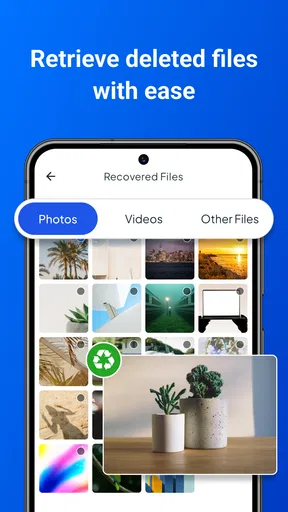
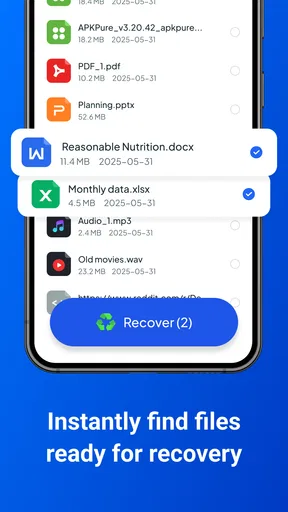
- Preview feature helps select files before restoring them.
- Supports common image formats such as JPG and PNG.
- Can save recovered images to a chosen folder or cloud service.
Cons
- Recovery success depends heavily on how long ago files were deleted.
- Deep scans may take considerable time on devices with large storage.
- Some features may require payment or premium access.
- Results can include duplicates
- thumbnails
- or low-quality cached images.
- Root access may be needed for more thorough scans on some devices.
FAQs for Photo Recovery
What is Photo Recovery and what does it do?
Photo Recovery is designed to help users find and restore deleted or accidentally removed images from an Android device. After scanning available storage, it may display recoverable photos that have not yet been permanently overwritten. Results can vary depending on the device, storage type, time since deletion, and whether the phone has been used extensively after the files disappeared.
Can Photo Recovery restore every deleted photo?
No recovery app can guarantee that every deleted image will be restored. Photo Recovery works best when you act quickly and avoid taking new photos, downloading files, or installing many applications after deletion. Some files may be damaged, permanently overwritten, hidden in unsupported locations, or removed by automatic cleaning tools, so the scan may show only partial results.
Does Photo Recovery require root access?
The exact features available can depend on the device and Android version. Basic scanning may work without root access, but deeper searches can sometimes require additional permissions or a rooted phone. Rooting may improve access to certain storage areas, yet it also involves security and warranty risks. Check the app’s permission requests and instructions before enabling advanced recovery options.
Is Photo Recovery safe to use, and what permissions does it need?
Before installing Photo Recovery, review its requested permissions and privacy information carefully. A recovery tool normally needs access to device storage so it can scan for image files, but it should clearly explain why that access is required. Avoid granting unrelated permissions, and download the application only from a trusted store to reduce the risk of privacy or security problems.
Where are recovered photos saved, and are there any limitations?
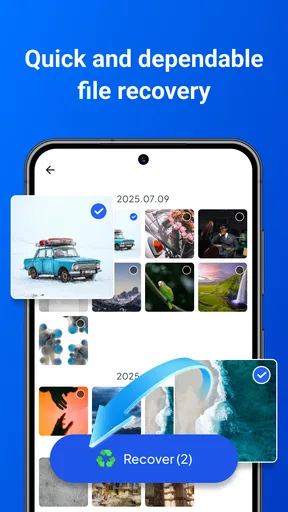
Recovered images are commonly saved to a selected folder, the app’s own directory, or another location chosen during the export process. Make sure the destination has enough free space and is different from the area being scanned whenever possible. Some versions may limit batch recovery, supported formats, scan depth, or access to advanced tools unless additional features are unlocked.


